
Preparedness · offline · open source
No power. No signal. Still prepared.
Bereitsein walks your household through preparedness step by step – and in an emergency shows only what matters right now. Free, no account, no server.
For Android, iPhone and computers · Free software (GPL-3.0)
- 0accountsNo sign-up, no email address.
- 0serversEverything stays on your device.
- 0trackersNo ads, no analytics.
- 100 %offlineGuides, plan, emergency mode and downloaded maps work without a connection.
What Bereitsein does
In an emergency
Emergency mode
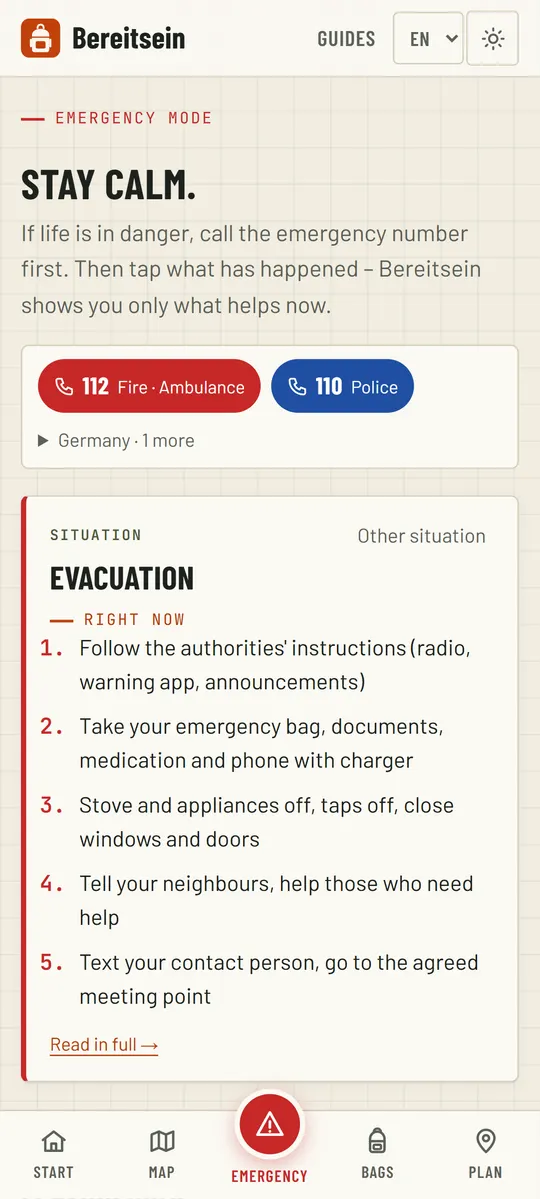
Tap what is happening – Bereitsein shows only the steps that help right now. No searching, no leafing through guides.
- Emergency numbers and texting your family
- The way to your meeting point, even offline
- Power outage, flooding, evacuation and more
For the family
Family plan
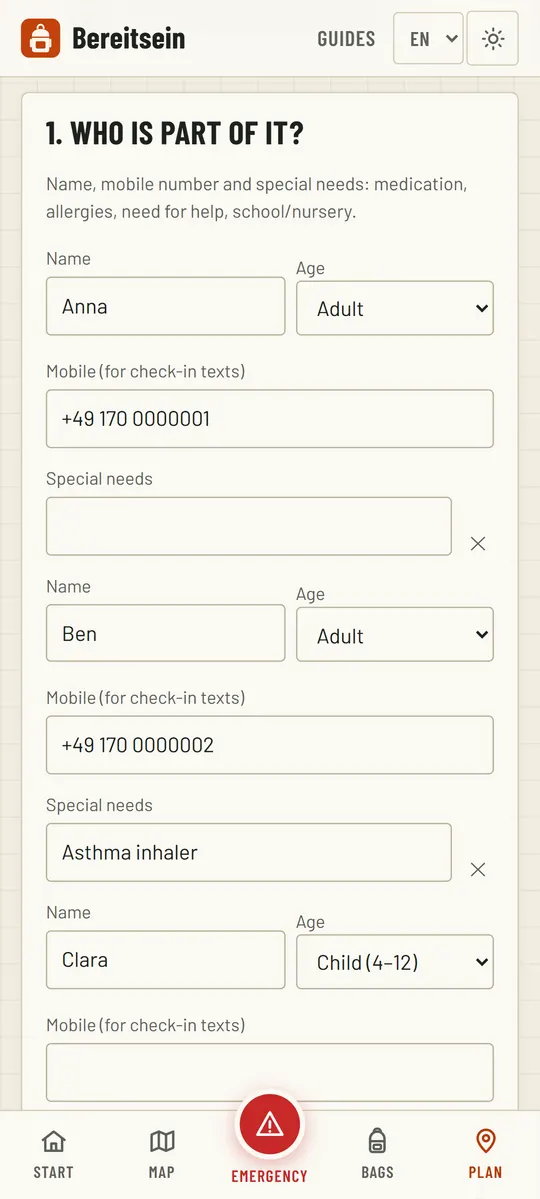
Who belongs to the household, where you meet, whom you call – decided once, shared with everyone.
- Meeting points with a plan B
- Medication and special needs per person
- Share with your family by link or QR code
No signal needed
Offline map
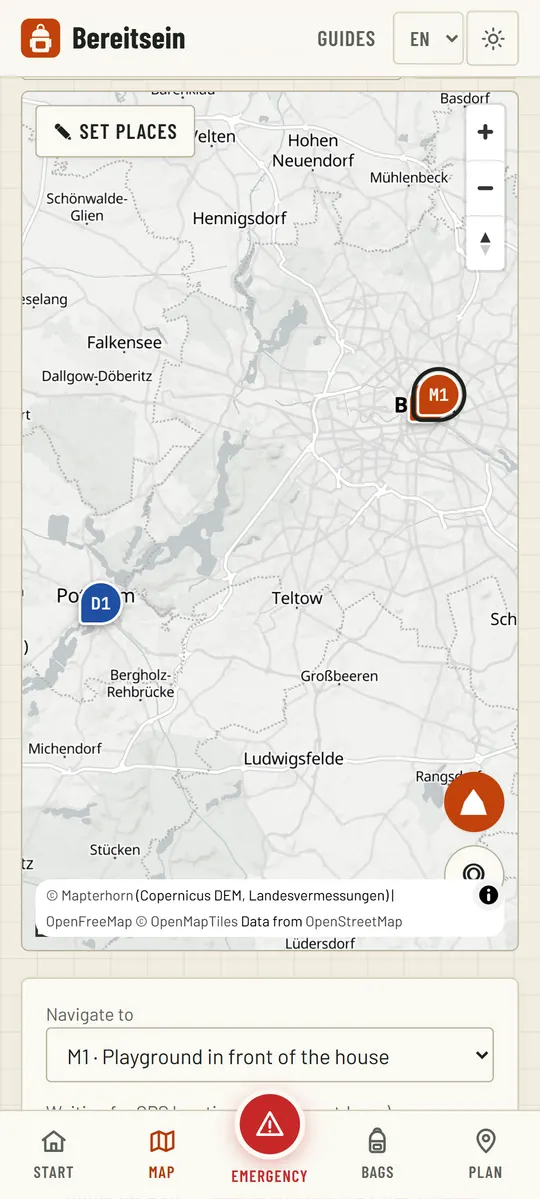
Download your region while you still have a connection. After that the map works without internet – with your meeting points on it.
- Relief shading and contour lines
- Your own position via GPS
- Right inside Bereitsein, no second app needed
Supplies
Supplies & backpacks
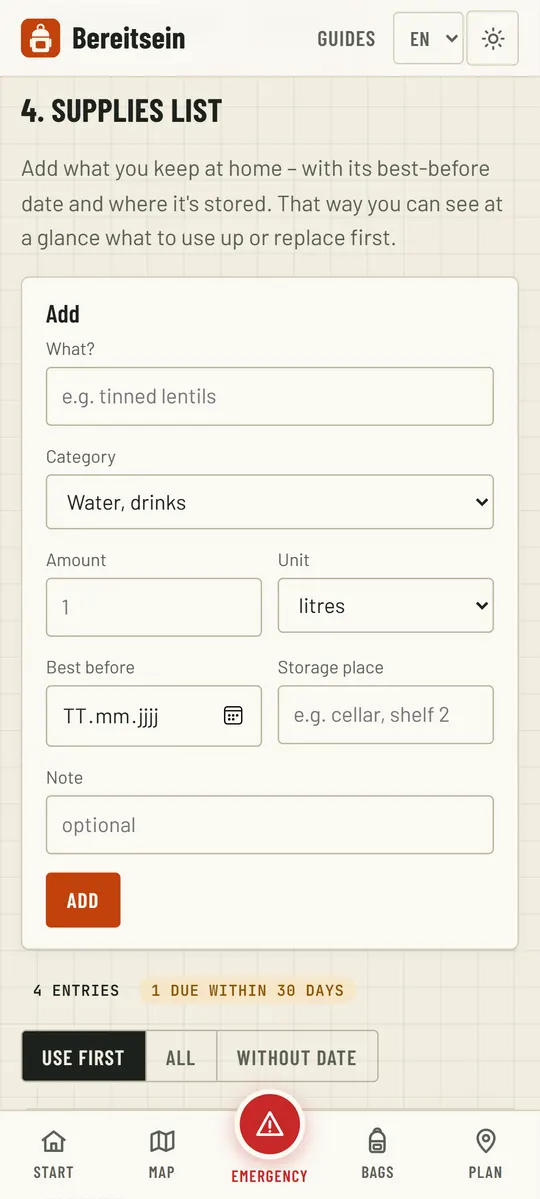
Water and food for ten days, sized to your household. Bereitsein reminds you before anything expires.
- Best-before dates in view, use the oldest first
- A go-bag per person to tick off
- A shopping list of everything missing
Also: Emergency ID card for your wallet · official warnings (NINA) · reminders · SOS signal with light and sound · family drills · offline check.
The handbook
11 chapters with drawings, every figure sourced. Free to read – no setup, no connection, as a PDF to print and as an A5 booklet for your go-bag.
Read the handbookPDF (A4)PDF booklet (A5)
All 19 guides & fact sheets →- 01Getting through a power cut
- 02Storing and treating drinking water
- 03Building up food supplies
- 04Packing an emergency bag (go-bag)
- 05Evacuation and family plan
- 06First aid and home medicine cabinet
- 07Floods and heavy rain
- 08Warnings and communication
- 09Hygiene and emergency toilet
- 10Keeping warm without heating
- 11Severe weather, storms and thunderstorms
Get Bereitsein
Free and without an account – as an Android app or right in your browser. Both work offline.
Android
- Download the APK (latest version on Codeberg).
- Open it – Android asks once whether your browser may install apps. Allow it.
- Done: Bereitsein now works without internet.
Updates don’t come through a store. With Obtainium (free, open source) you get new versions automatically from Codeberg.
Check authenticity
The SHA-256 fingerprint of the signing certificate must match exactly – check it with the AppVerifier app or with “apksigner verify --print-certs”:
18:05:82:92:CA:8B:AF:BE:2E:D6:F0:7B:56:B6:7C:D9:46:8C:D8:73:A0:DC:8C:34:E4:8B:C2:53:B2:8D:09:1CiPhone & iPad
- Open Bereitsein in Safari (“Open the app”).
- Tap the share icon, then “Add to Home Screen”.
- Bereitsein then starts like an app – offline too.
Computer
Runs right in the browser. In Chrome or Edge you can also install Bereitsein as its own window via the icon in the address bar.
Ready in ten minutes
Set up
Five short steps: household, contact & meeting point, supply target, offline preparation, review & share.
Keep going
A small step each day – Bereitsein suggests the next sensible one.
Share & practise
Give the plan to your family by link or QR code and practise it once together.